Canny (Beta)
Integrating Unthread with Canny.io helps your team close the loop between customer conversations and product feedback. By syncing insights from support interactions into Canny, you can ensure feature requests, bug reports, and customer pain points are captured, prioritized, and acted on.
Note: this integration is in beta, and is actively being improved.
Why Connect Unthread and Canny?
Support conversations are one of the richest sources of product feedback. Connecting Unthread with Canny allows you to:
- Capture feature requests directly from customer conversations
- Centralize feedback in a single, product-focused system
- Avoid losing valuable insights in Slack threads or tickets
- Keep your product and support teams aligned
- Close the feedback loop with customers when features ship
How the Integration Works
Unthread acts as the bridge between your support conversations (Slack, email, etc.) and Canny.
When connected:
- A support conversation in Unthread surfaces a feature request or issue
- You (or an automation) create or link a Canny post
- Customer context is attached to the Canny post
- Product teams can prioritize based on real customer demand
- Updates from Canny can be shared back with customers via Unthread
Setup Instructions
1. Get Your Canny API Key
- Log into your Canny account
- Go to Settings → API
- Copy your API key
2. Input API Key to Unthread
- In Unthread, navigate to Workspace Settings > Automations > Configuration
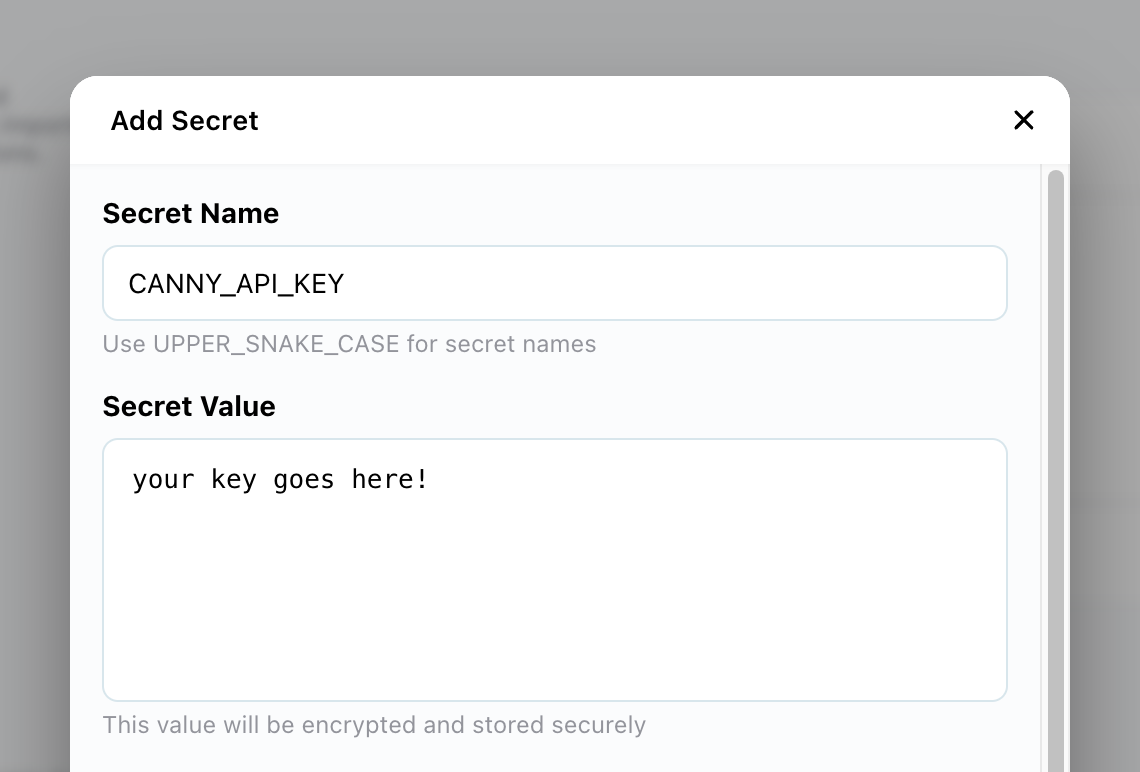
- Click "Add Secret"
- In the pop-up modal, set the name CANNY_API_KEY, and paste the value into the box below
3. Connect Webhook Events
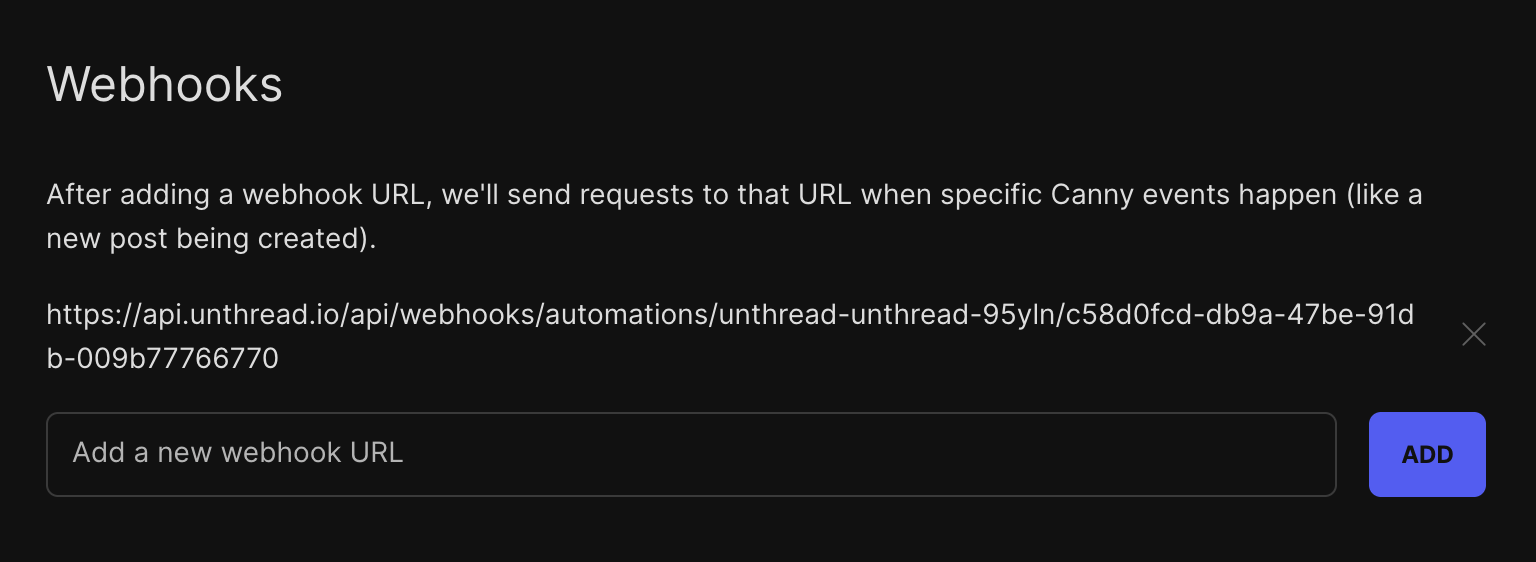
To get updates from Canny back into Unthread, you'll want to provide a webhook
- Your Unthread rep will provide the webhook URL
- In your Canny dashboard, navigate to Admin > Settings > API
- Enter the webhook URL in the box below, and save!
Troubleshooting
Feedback not appearing in Canny
- Double-check your API key
- Confirm the correct board is selected
- Ensure permissions are enabled in Canny
Duplicate posts
- Search existing posts before creating new ones
- Link conversations to existing feedback instead
Summary
By connecting Unthread with Canny.io, your team can turn everyday support conversations into actionable product insights. This integration ensures that customer voices are heard, prioritized, and reflected in your roadmap—without adding manual overhead.