Article
Accounts
3 min read
Last updated 5 months ago
What are Accounts?
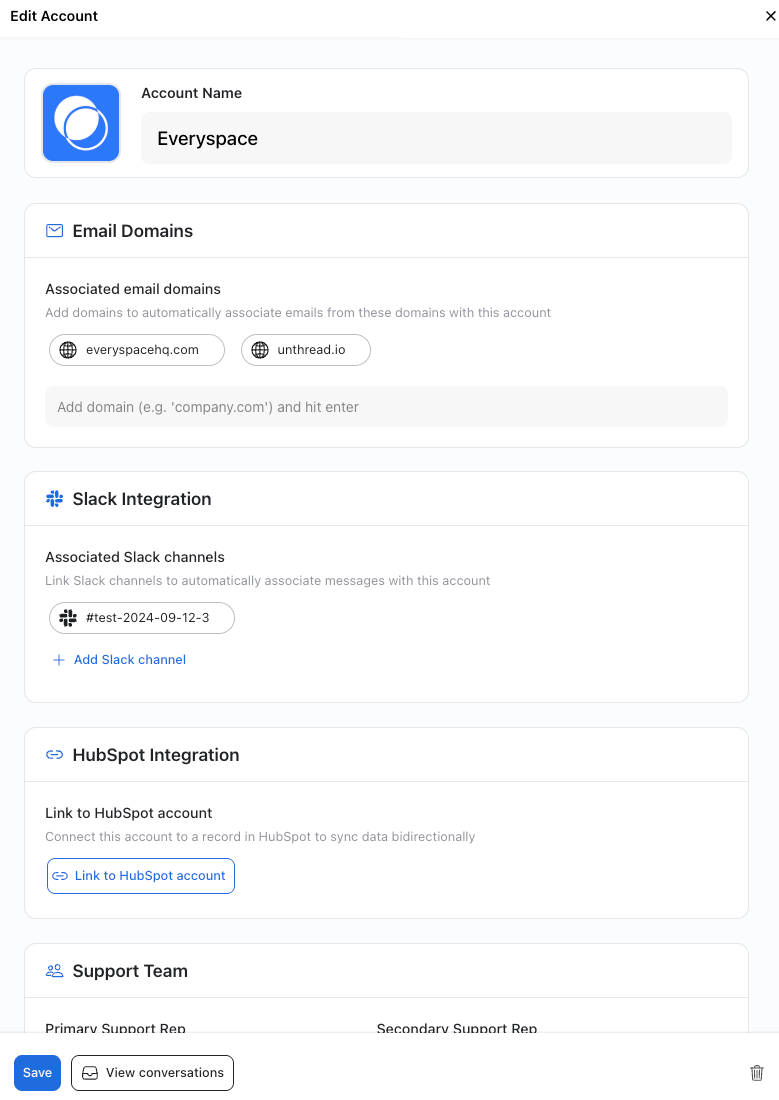
Accounts are used to define external customer accounts when Unthread is being used with customers external to your organization. You can add Accounts from the Workspace Settings --> Accounts.
What settings are defined at the Account level?
- Account Name: Name of the external customer organization that will be visible on tickets.
- Account Tags: Optional Tags you can add to an Account for filtering, reporting, SLAs, and automations.
- Associated email domain(s) of the Account organization: The email domain matches new tickets to the correct customer Account.
- Associated Slack Channels (#account name-Unthread): All shared slack channels between your organization and the customer account that Unthread has been added to.
- HubSpot Integration & Synced CRM contacts if applicable: Our HubSpot integration enables syncing of the HubSpot Account configuration to Unthread Accounts and pushes tracked Slack conversations into HubSpot in the Account activity feed.
- SLA Override Configuration: Use this option to create an SLA specific to a customer Account rather than using the Project or Channel level SLA settings.
- Primary and Secondary Support Representatives defined for this Account within your organization: You can utilize the primary and secondary support representatives designated in the Account settings in your SLAs to route tickets to them first, defer to the secondary representative when the primary one is unavailable, and in automations should you wish to do thinks like send message alerts to these representatives about Account ticket activity.
- Account Admins designated within the customer Account: This provisions external users with permission to view all tickets in this account.
Accounts and the External Customer Portal
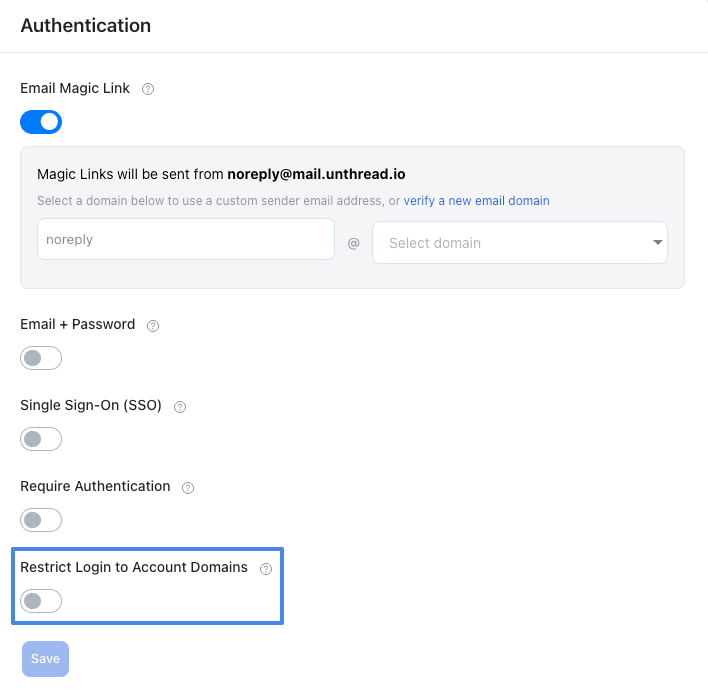
If you enable your Unthread hosted External Customer Portal and require authentication for your external customers to access the portal, one of the authentication options is to "Restrict Login to Account Domains." When enabled, only individuals using an email domain associated with one or more of your Accounts will be able to access the External Customer Portal via authentication.
How to Update or Delete an Account
*Note that only Unthread Administrators and Owners within your organization can Add, Update, and Delete Accounts
- Click the Account name to open the Account details modal
- Update any Account fields an click save to update
- Use the trashcan icon on the bottom right of the Account details modal to delete the Account